
No frills capture tool
There are many applications for taking screenshots, and Screenshot Taker is one of the most basic you will find.
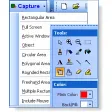
After installation, you can either choose to capture a part or all of the screen, and once you've done that name the file and it'll be saved as a .JPG. There is nothing more to this tiny application. If you want to edit your screenshot, you'll have to use an image editor, and you can't easily capture specific windows.
If you're using a single monitor system, Screenshot Taker will work fine, but we had problems with a dual screen set up. It works by taking a capture of the whole screen, and if you want to take just a part you can. The image quality is OK, but not crystal clear, and you can't alter the quality of your .JPG capture, which is a shame. It also doesn't support hot key activation, which can be really useful when taking screen shots.
The idea of a super basic screenshot taker is a good one, but this is perhaps too basic, and there are other much better and just as easy to use capture applications available.
If all you want is a quick, no frills capture, Screenshot Taker will suit you, but overall it's not as useful as other applications of this type.












.png)













User reviews about Screenshot Taker
by Anonymous
unreliable and slow.
I use this mainly to capture screenshots during live streams. There is a delay of a second or so between clicking the button and the picture being taken, and even then, you have to either save the whole screen, or take the time to select an area of it, and then name it on the spot, there's no rapid shot-taking kind of feature. Every other shot also seems to be a picture of a section of the task bar with a large black area below it, not even incorporating part of the area I was trying to capture. Not a recommended program More